
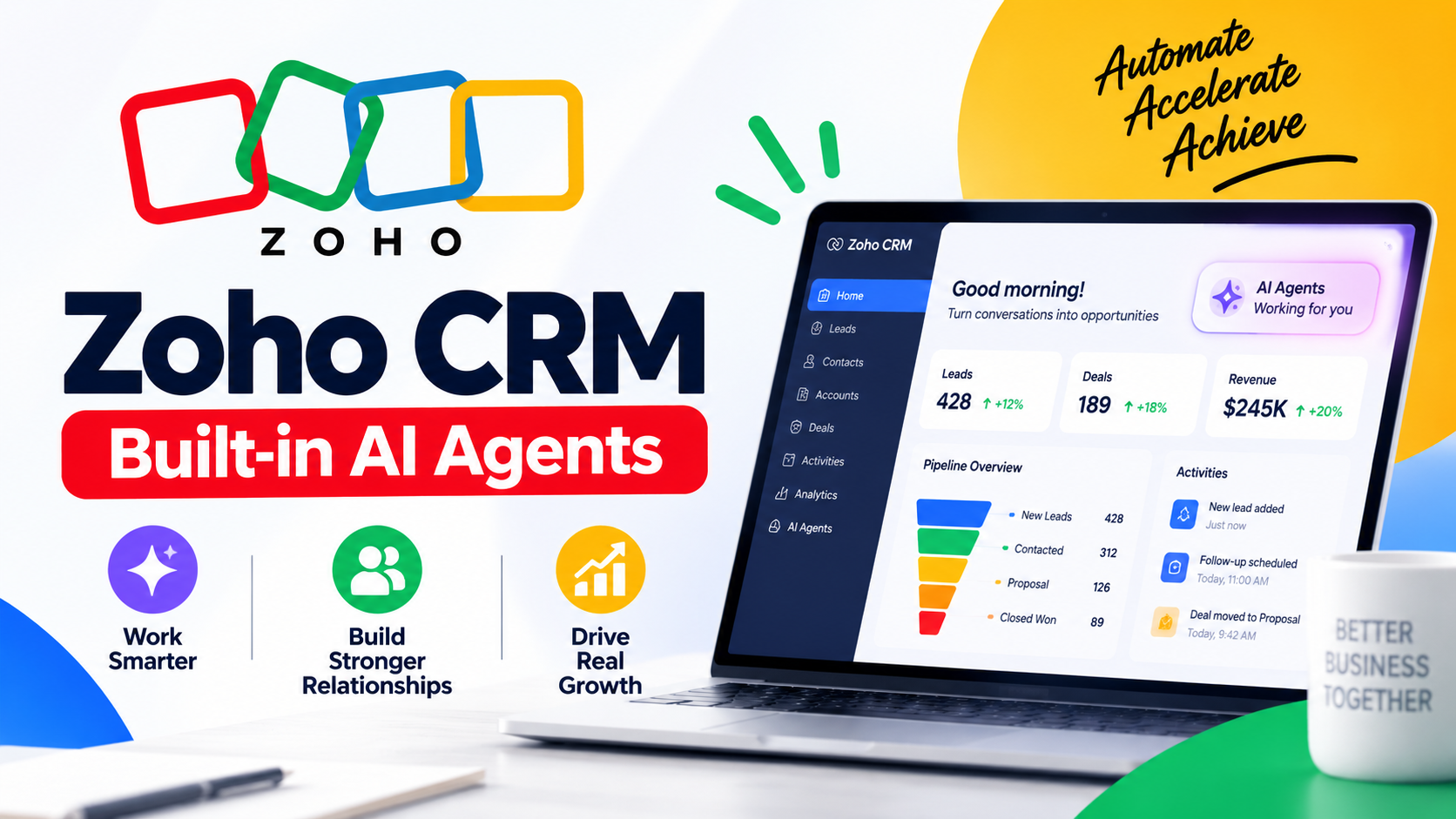
Zoho CRM AI Agents Review: They Can Really Work Like Your Digital Sales Team.
$16.30
Zoho is a broad business software ecosystem offering more than 60 applications covering CRM, sales, marketing, finance, customer support, collaboration, HR, analytics, project management, and more. Its biggest advantage is the ability to connect multiple business functions inside one ecosystem instead of relying on many unrelated services. Zoho CRM alone offers editions ranging from Free to Ultimate, while bundles such as Zoho CRM Plus and Zoho One extend the platform considerably.

Related Products

Zoho Review 2026: Is Zoho the Best All-in-One Business Software Platform?
Introduction
Choosing business software can be surprisingly difficult.
A company may need a CRM for sales, email marketing for lead generation, accounting software for finances, project management tools for employees, customer support software, analytics, forms, automation, and collaboration tools.
Buying each application separately can create a complicated technology stack.
This is where Zoho becomes interesting.
Zoho is not simply one application. It is a large ecosystem of business applications designed to cover many of the everyday functions required by small businesses, growing companies, agencies, freelancers, and larger organizations.
The official Zoho product catalog currently includes more than 60 business applications across categories such as sales, marketing, finance, customer service, human resources, collaboration, analytics, project management, developer platforms, security, and more.
The flagship products include Zoho CRM, Zoho Books, Zoho Mail, Zoho Desk, Zoho Projects, Zoho Campaigns, Zoho Analytics, Zoho Social, Zoho Forms, Zoho Sign, and many others.
But does having so many applications actually make Zoho better?
Is it easy enough for a small business?
Does Zoho CRM compete with established CRM platforms?
And is the broader Zoho ecosystem worth adopting instead of assembling software from different vendors?
Let’s take a closer look.
Zoho Product Information
Product: Zoho
Category: Business software ecosystem
Main use cases: CRM, sales, marketing, finance, customer service, HR, collaboration, analytics, project management and automation
Deployment: Cloud-based
Free options: Available for several Zoho products
CRM editions: Free, Standard, Professional, Enterprise and Ultimate
CRM mobile access: Available
AI: Zoho Zia and AI-powered capabilities
Target customers: Freelancers, startups, small businesses, mid-sized companies and enterprises
Zoho CRM is one of the company’s best-known products.
The current CRM structure includes Free, Standard, Professional, Enterprise and Ultimate editions. Zoho states that the Free edition supports up to three users, while paid editions add increasingly advanced capabilities.
The broader ecosystem is considerably larger.
Zoho’s official catalog includes applications for sales, marketing, commerce, service, finance, education, HR, email, storage, collaboration, analytics, project management, developer platforms, security and IT management, among other categories.
This breadth is arguably Zoho’s biggest selling point.
What Is Zoho?
Zoho is a cloud software company that provides a large collection of business applications.
Instead of concentrating on a single business function, Zoho attempts to provide software for almost every major department of an organization.
For example, a business could use:
- Zoho CRM for leads, contacts and sales
- Zoho Books for accounting
- Zoho Desk for customer support
- Zoho Campaigns for email marketing
- Zoho Social for social media management
- Zoho Projects for project management
- Zoho Analytics for business intelligence
- Zoho People for HR
- Zoho Mail for business email
- Zoho Sign for electronic signatures
- Zoho Forms for online forms
The advantage is that these applications can form a connected business environment.
Instead of moving information manually between several unrelated vendors, businesses can potentially centralize more of their workflows inside the Zoho ecosystem.
Zoho CRM
Zoho CRM is particularly important because it functions as the central sales and customer-management platform for many Zoho users.
Its core capabilities include lead management, contact management, accounts, deals, activities, workflows, reporting and automation.
More advanced editions add capabilities such as Blueprint, inventory management, CPQ, advanced customization and other enterprise-oriented features.
Zoho also continues to expand its AI functionality.
For example, a 2026 Zoho CRM update introduced improvements to Workqueue, Zia-powered formula generation, CPQ recommendations and Smart Prompt functionality. Zia can assist with generating formulas and creating or refining content using natural-language instructions.
For businesses interested in AI-assisted CRM workflows, this is an increasingly important part of the platform.
Zoho Features
1. Customer Relationship Management
Zoho CRM provides tools for managing leads, contacts, accounts, deals, activities and customer information.
This makes it possible for sales teams to maintain a centralized database rather than relying on spreadsheets or scattered documents.
The CRM’s higher editions also provide advanced customization and automation.
2. Sales Automation
Automation is one of Zoho’s strongest areas.
Depending on the edition, businesses can create workflow rules, assignment rules, cadences and process automation.
The result can be fewer repetitive manual tasks.
For example, a company could automatically assign a new lead to a sales representative, send a follow-up email, update a CRM field and trigger another workflow when a deal reaches a particular stage.
3. AI With Zia
Zoho’s AI assistant, Zia, is becoming an increasingly important component of the ecosystem.
Recent CRM updates have added AI-assisted features for formulas, record summaries, email content and sales processes.
For users who understand how to formulate good instructions, AI features can reduce repetitive work and make complex CRM functions more accessible.
4. Customization
Zoho CRM can be heavily customized.
Depending on the edition, organizations can use custom modules, custom fields, workflows, functions, validation rules and other customization features.
Current Zoho documentation lists substantial increases in custom-module and custom-field limits as users move from Standard through Ultimate editions.
This flexibility is useful for businesses with processes that do not fit a generic CRM structure.
5. Analytics and Reporting
Business data becomes considerably more useful when it can be transformed into reports and dashboards.
Zoho offers reporting capabilities within its applications and also provides Zoho Analytics for more extensive business intelligence requirements.
This makes the ecosystem attractive to companies that want sales, marketing, financial and operational data to work together.
6. Marketing
Zoho’s marketing ecosystem includes tools such as Campaigns and Social.
Campaigns can be used for email marketing, while Zoho Social provides social-media management capabilities.
The ability to connect marketing activities with CRM data can be particularly useful for lead-generation campaigns.
7. Customer Support
Zoho Desk is the company’s customer-support platform.
It allows businesses to manage customer interactions and support tickets in a centralized environment.
For companies already using Zoho CRM, connecting sales and customer support can create a more complete customer history.
8. Finance
Zoho also provides financial applications.
Zoho Books is positioned as an accounting platform for growing businesses, while other financial applications address expenses, invoicing, billing and related workflows.
This means a business can potentially manage financial operations without introducing another software ecosystem.
9. Project Management
Zoho Projects provides project-management capabilities.
Businesses can use project tools to organize tasks, deadlines, teams and project-related information.
This becomes particularly valuable when projects need to connect with sales or customer information.
Additional Features
Zoho’s ecosystem extends well beyond CRM.
Some notable categories include:
- Online forms
- Digital signatures
- Surveys
- Social media
- Customer support
- Accounting
- Expense management
- HR
- Recruitment
- Analytics
- Project management
- Website building
- Events
- Commerce
- Collaboration
- Developer tools
- Security and IT management
Zoho’s official product catalog is therefore better understood as a complete business-software ecosystem rather than a single product.
Zoho One
For organizations that want a much broader implementation, Zoho One is particularly interesting.
Zoho describes Zoho One as an operating system for business, bringing together a large collection of business applications.
The concept is simple:
Instead of purchasing individual software products from numerous vendors, a business can use a unified Zoho environment.
This can potentially simplify administration, integrations and data sharing.
However, adopting a large ecosystem also creates a learning curve.
A business should therefore avoid purchasing every available application simply because it is available.
The better strategy is to identify the business processes that need improvement and select the relevant applications.
Zoho CRM Plus
Zoho CRM Plus is another option for organizations that need more than CRM.
Zoho documentation describes CRM Plus as a bundle containing nine major services, including CRM, SalesInbox, SalesIQ, Desk, Projects, Campaigns, Social, Survey and Analytics.
This makes CRM Plus particularly attractive to customer-facing organizations.
Instead of purchasing CRM, customer support, analytics, marketing and social-media tools separately, businesses can use a unified package.
Why People Prefer Zoho
Large Product Ecosystem
The biggest reason to choose Zoho is the breadth of its ecosystem.
Many competing software providers specialize in only one area.
Zoho attempts to cover the entire organization.
Strong Automation
Automation can reduce repetitive administrative work.
Businesses can create workflows that move information between processes and trigger actions automatically.
Flexible CRM
Zoho CRM can be adapted to different sales processes.
This is especially useful for organizations with unusual pipelines or specialized workflows.
AI Capabilities
Zoho continues to integrate AI into its products.
The 2026 CRM updates show that Zia is being used for formulas, record assistance, content generation and sales-related recommendations.
Scalability
A freelancer can start with a relatively simple Zoho setup and later add more applications as the business grows.
The CRM itself offers multiple editions, while the wider ecosystem provides additional products for different departments.
Pricing and Plans
Zoho pricing varies considerably depending on the application.
For Zoho CRM specifically, the available editions include:
| Edition | Best For |
|---|---|
| Free | Individuals and very small teams |
| Standard | Basic CRM and growing sales teams |
| Professional | Businesses needing more automation |
| Enterprise | Advanced customization and processes |
| Ultimate | Organizations requiring maximum CRM capabilities |
Zoho’s current documentation confirms that CRM uses a tiered edition structure and that users can upgrade or downgrade according to business needs.
Because pricing and regional taxes can change, prospective customers should verify the current price on Zoho’s official pricing pages before purchasing.
Ease of Use
Zoho is powerful, but power and simplicity are not always the same thing.
A basic Zoho setup can be relatively straightforward.
However, once you start adding custom fields, workflows, automation, integrations, reports and multiple applications, the platform becomes more complex.
This is not necessarily a disadvantage.
For a small company that only needs a simple CRM, a lightweight CRM may be easier.
For a growing company that needs sophisticated automation, Zoho’s flexibility can be a major advantage.
Integrations
Integrations are an important part of any modern CRM.
Zoho supports connections with numerous third-party services and also provides APIs and developer capabilities.
The exact integrations available depend on the specific Zoho product and edition.
For businesses with technical teams, Zoho’s customization and API capabilities can be particularly valuable.
Warranty & Service
Zoho is cloud software rather than a physical consumer product.
Therefore, a conventional hardware warranty does not apply.
Instead, customers receive software support, documentation, account services and product assistance.
Zoho also warns customers to use official support channels because fraudulent third-party websites and phone numbers sometimes claim to represent Zoho Support.
For support, users should rely on official Zoho resources rather than unverified websites or social-media accounts.
Other Users’ Opinions
User feedback is generally positive, although experiences naturally vary by product.
G2 currently lists Zoho with an overall rating of 4.4 out of 5, based on more than 32,000 reviews across its products and categories.
That is a substantial volume of user feedback.
The most common appeal is understandable: businesses can access a large collection of tools from one software provider.
The trade-off is that some users may find the ecosystem complex, especially when configuring advanced features.
A recent Zoho People review on Capterra, for example, praised task management, scheduling, tracking and the broader Zoho ecosystem while describing the overall experience positively.
As with any software review platform, individual reviews should be treated as user experiences rather than universal conclusions.
Zoho Pros and Cons
Pros
- Large business-software ecosystem
- Powerful CRM
- Strong automation capabilities
- AI-powered features
- Numerous applications
- Multiple CRM editions
- Free CRM option available
- Extensive customization
- Good scalability
- Strong integration potential
- Useful bundles such as CRM Plus and Zoho One
- Suitable for businesses of many sizes
Cons
- Large ecosystem can feel overwhelming
- Advanced CRM features require higher-tier editions
- Setup may require technical knowledge
- Some applications have their own learning curves
- Businesses may purchase more functionality than they actually need
- Pricing varies significantly between products and plans
- Migration and configuration can take time for complex organizations
Who Should Use Zoho?
Zoho is particularly suitable for:
Freelancers
Freelancers can use CRM, invoicing, email, forms and other tools without assembling a complicated collection of unrelated applications.
Small Businesses
Small companies can start with basic applications and add functionality as they grow.
Agencies
Agencies can benefit from CRM, project management, automation, reporting and client-management capabilities.
Growing Companies
Companies experiencing rapid growth can benefit from a scalable ecosystem that supports multiple departments.
Enterprises
Larger organizations can take advantage of advanced CRM editions, customization, automation and broader Zoho suites.
Who Should Not Use Zoho?
Zoho may not be the best choice for someone who wants an extremely simple, single-purpose application.
If you only need a basic contact database, a large business ecosystem may be unnecessary.
Similarly, businesses that already have highly optimized software stacks may not benefit enough from migrating everything to Zoho to justify the transition effort.
Zoho vs. Using Multiple Software Vendors
One of the most interesting questions is whether a company should use Zoho for many functions or combine specialized products from different vendors.
There is no universal answer.
A specialized application may offer a deeper experience in one area.
However, using multiple vendors can create:
- More subscriptions
- More integrations
- More passwords
- More administration
- More data synchronization problems
- More vendor relationships
Zoho’s value proposition is largely based on reducing this fragmentation.
Is Zoho Worth It?
For many businesses, yes.
The strongest argument for Zoho is not that every individual application is automatically better than every competing product.
The stronger argument is the ecosystem.
If you need CRM, marketing, customer support, accounting, analytics, projects and collaboration, having these functions available from one vendor can be extremely convenient.
Zoho is also flexible enough to allow organizations to start small.
A business does not necessarily need to implement the entire ecosystem immediately.
Start with the application that solves the most important problem.
Then expand when there is a genuine business requirement.
Final Verdict
Zoho is one of the most comprehensive business software ecosystems available today.
Its biggest strength is its breadth.
Rather than forcing businesses to combine numerous unrelated services, Zoho provides applications for sales, marketing, finance, customer service, HR, analytics, projects, collaboration and many other functions.
Zoho CRM is particularly compelling for organizations that need more than basic contact management.
Its automation, customization, reporting and increasingly sophisticated AI capabilities make it suitable for businesses that expect their CRM requirements to grow.
The main weakness is complexity.
With so many products, editions, settings and customization options, Zoho can take time to master.
But for organizations willing to invest in setup and learning, that complexity can become an advantage.
Overall rating: 4.5/5
Best for: Small businesses, agencies, startups, growing companies and organizations seeking an integrated business-software ecosystem.
Our verdict: Recommended, particularly for businesses that want to consolidate multiple business processes into one connected platform.
See More Information and Get Started
Zoho is software, so there is no conventional Amazon purchase associated with the platform. The safest way to evaluate it is through the official Zoho website and the relevant product’s free plan or trial.
Visit the official Zoho website
For Zoho CRM, users can start with the Free edition or evaluate paid editions through the available trial options.
5 Frequently Asked Questions
1. What is Zoho?
Zoho is a business-software ecosystem offering applications for CRM, sales, marketing, finance, customer service, HR, analytics, projects, email, collaboration and many other business functions.
2. Is Zoho CRM free?
Yes. Zoho CRM has a Free edition that supports up to three users. Paid editions provide additional functionality and higher limits.
3. Is Zoho good for small businesses?
Yes. Zoho can be a strong option for small businesses because they can begin with a relatively small selection of applications and expand the system as their needs grow.
4. Does Zoho have AI?
Yes. Zoho integrates AI capabilities through Zia and other AI-powered functionality. Recent Zoho CRM updates include AI-assisted formula generation, record assistance, content generation and sales-related recommendations.
5. Is Zoho better than using multiple business software platforms?
It depends on the business. Zoho’s major advantage is integration across a broad ecosystem. Businesses that value centralized data and fewer software vendors may find Zoho particularly attractive, while organizations requiring highly specialized applications may prefer a mixed software stack.
Conclusion
Zoho has evolved into far more than a CRM provider.
It is a broad business platform capable of supporting sales, marketing, customer service, finance, HR, projects, analytics and collaboration.
Its extensive product ecosystem, automation capabilities, customization options and expanding AI functionality make it a serious option for modern businesses.
The most important thing is to avoid trying to implement everything at once.
Choose the applications that solve your immediate problems, configure them properly, measure the results, and expand the ecosystem when your business genuinely needs more functionality.
For businesses looking for a flexible alternative to maintaining dozens of disconnected software subscriptions, Zoho is certainly worth considering in 2026.
User Reviews
Be the first to review “Zoho CRM AI Agents Review: They Can Really Work Like Your Digital Sales Team.”
Vendor Information
- Store Name: EngageNow
- Vendor: EngageNow
- Address: Auckland 1010
- No ratings found yet!
Product Location
101 Pakenham Street West, Auckland Central, Auckland 1010, New Zealand

$16.30
There are no reviews yet.